Profile & Account Settings
Overview
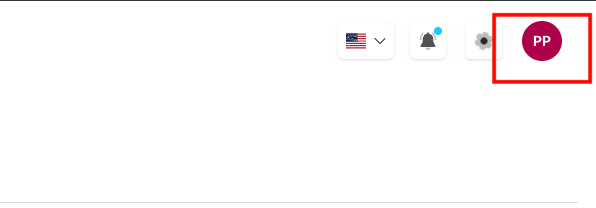
The Profile & Account Settings section allows users to manage their personal information, security settings, and organization details from a centralized dashboard. Access this section through the profile icon in the top-right corner of the dashboard to update your account preferences and maintain security.
Why Use Profile Settings?
Profile settings provide essential account management capabilities for:
- Personal Information Management - Update your contact details and preferences
- Security Control - Change passwords and manage account security
- Organization Management - Configure organization-wide settings and details
- Account Monitoring - Track login activity and account usage
- Professional Setup - Maintain accurate business information for integrations
Key Benefits:
- Centralized Management: All account settings in one convenient location
- Security Oversight: Monitor and control account access and security
- Organization Control: Manage team and company-wide configurations
- Easy Updates: Quick access to modify personal and business information
Account Settings Interface
Accessing Profile Settings
Click on your profile avatar in the top-right corner of the dashboard to access Account Settings:
Navigation Tabs
The Account Settings interface includes three main sections:
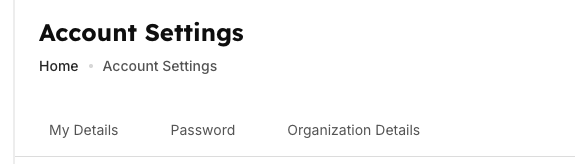
- My Details - Personal information and contact details
- Password - Security settings and password management
- Organization Details - Company information and business settings
My Details Section
Personal Information Management
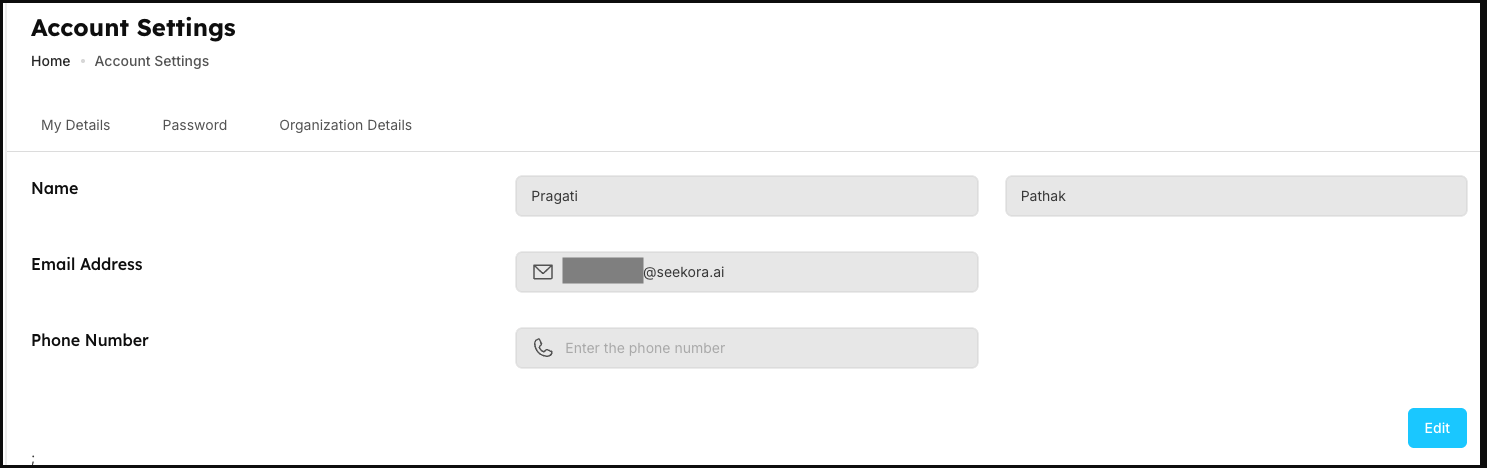
The My Details tab contains your personal account information:
| Field | Description | Purpose |
|---|---|---|
| Name | Your full name displayed across the platform | User identification and personalization |
| Email Address | Primary email for account communications | Login credentials and notifications |
| Phone Number | Contact number for account security | Two-factor authentication and support (configure in Notifications) |
Key Features:
- Editable Fields: Update any information as needed
- Real-time Validation: Instant feedback on field requirements
- Save Functionality: Secure updates to your profile information
- Required Fields: Essential information marked for completion
Password Section
Security Management
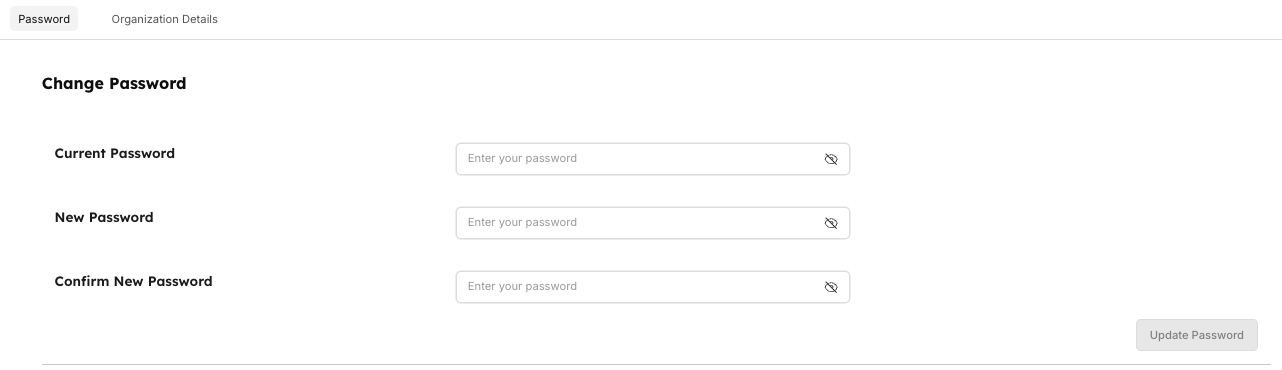
The Password tab provides comprehensive security controls:
| Setting | Description | Security Purpose |
|---|---|---|
| Current Password | Verify your existing password | Authentication for security changes |
| New Password | Set your updated password | Enhanced account security |
| Confirm New Password | Verify your new password entry | Prevent password entry errors |
Login Activity Monitoring
Logged in Devices section shows:
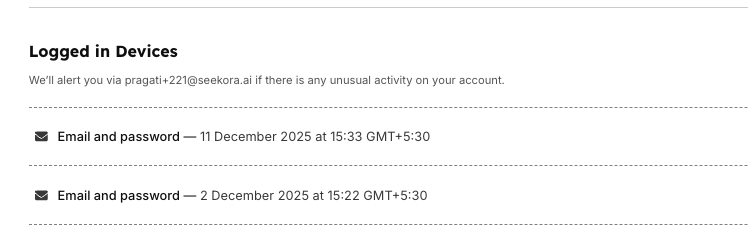
- Recent Login Sessions: Track recent account access
- Device Information: Monitor which devices accessed your account
- Login Method: Email and password or social login
- Timestamp Details: Exact time and date of last login activity
- Alert Notifications: Notifications sent for unusual account activity (configure in Activity Logs)
Connected Accounts
Social Login Management allows you to:
- Link Social Accounts: Connect Google and GitHub platforms
- Manage Connections: Link or unlink social login options
- Login Flexibility: Use social accounts for quick authentication
- Account Security: Control which platforms can access your account
Security Best Practices:
- Strong Passwords: Use complex passwords with mixed characters
- Regular Updates: Change passwords periodically for security
- Activity Monitoring: Review login activity for unauthorized access
- Secure Logout: Always log out from shared or public devices
Organization Details Section
Business Information Management
The Organization Details tab manages company-wide settings:
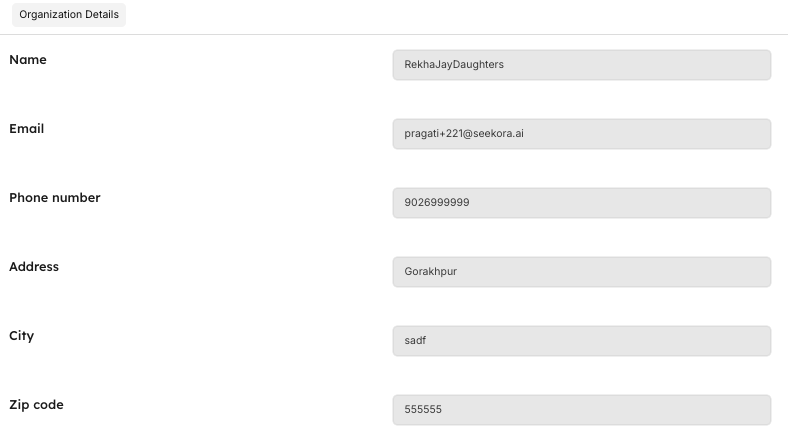
| Field | Description | Business Purpose |
|---|---|---|
| Name | Organization/Company name | Brand identification and billing |
| Primary business email contact | Official communications and support | |
| Phone Number | Business contact number | Customer service and verification |
| Address | Physical business address | Legal documentation and billing |
| City | Business location city | Regional settings and compliance |
| Pin Code | Postal/ZIP code | Accurate delivery and tax calculations |
| Country | Business country location | Legal jurisdiction and currency |
| Registration Number | Official business registration | Legal compliance and verification |
| TAX | Tax identification number | Financial reporting and compliance |
| Website | Company website URL | Brand presence and verification |
| Fax | Business fax number (if applicable) | Traditional business communications |
| Note | Additional business information | Internal notes and special requirements |
Organization Management Features:
- Complete Business Profile: Comprehensive company information storage
- Legal Compliance: Required fields for business verification
- Integration Support: Business details for API and service integrations
- Billing Accuracy: Proper addressing for invoices and payments
- Team Coordination: Shared organization details across all team members (manage in User Management)
Profile Management Workflows
Updating Personal Information
- Access Settings: Click profile avatar → Account Settings
- Select My Details: Navigate to personal information tab
- Edit Fields: Update name, email, or phone number as needed
- Save Changes: Click save button to confirm updates
- Verification: Confirm changes via email if required
Changing Password
- Navigate to Password: Select Password tab in Account Settings
- Current Password: Enter your existing password for verification
- New Password: Create a strong, secure password
- Confirm Password: Re-enter new password to verify
- Update Password: Save changes and receive confirmation
- Review Activity: Check login activity for security monitoring
Managing Organization Settings
- Access Organization: Select Organization Details tab
- Business Information: Update company name, contact details
- Legal Information: Enter registration numbers and tax details
- Address Details: Complete physical address and location
- Save Organization: Confirm all business information updates
- Team Notification: Organization changes may affect all team members
Security & Privacy Considerations
Data Protection
- Encrypted Storage: All profile data is securely encrypted
- Access Control: Only authorized users can modify organization settings
- Audit Trail: Changes to critical information are logged and tracked (detailed in Activity Logs)
- Privacy Compliance: Data handling follows industry privacy standards
Account Security
- Password Requirements: Strong password policies enforced
- Login Monitoring: Suspicious activity detection and alerts (configure in Notifications)
- Session Management: Automatic logout after inactivity periods
- Two-Factor Authentication: Enhanced security options available
Frequently Asked Questions
How do I update my email address?
Navigate to My Details tab, update the Email Address field, and save changes. You may need to verify the new email address before it becomes active.
What happens if I forget my current password while trying to change it?
Use the "Forgot Password" option on the login screen to reset your password via email before accessing the password change section.
How often should I update my password?
For security best practices, consider updating your password every 90 days or immediately if you suspect unauthorized access.
Why is organization information required?
Organization details are essential for billing, legal compliance, API integrations, and providing proper customer support for business accounts.
How do I know if someone else accessed my account?
Check the "Where you're last logged in" section in the Password tab to review recent login activity, including timestamps and device information.
Related Features
Account Management
- User Management - Configure team permissions, access control, and user roles
- Activity Logs - Monitor profile changes, login activity, and security events
- Notifications - Set up account security alerts and communication preferences
Business Operations
- Billing Management - Use organization details for accurate invoicing and payments
- Roles & User Management - Manage team access and organizational permissions