Invoices
Overview
The Invoices provides complete access to your billing documents, payment receipts, and financial records. This section enables you to view, download, and manage all invoices generated for your Seekora account, ensuring proper financial documentation and compliance with accounting requirements.
Invoice Interface
The invoices section displays a comprehensive dashboard with invoice management capabilities:
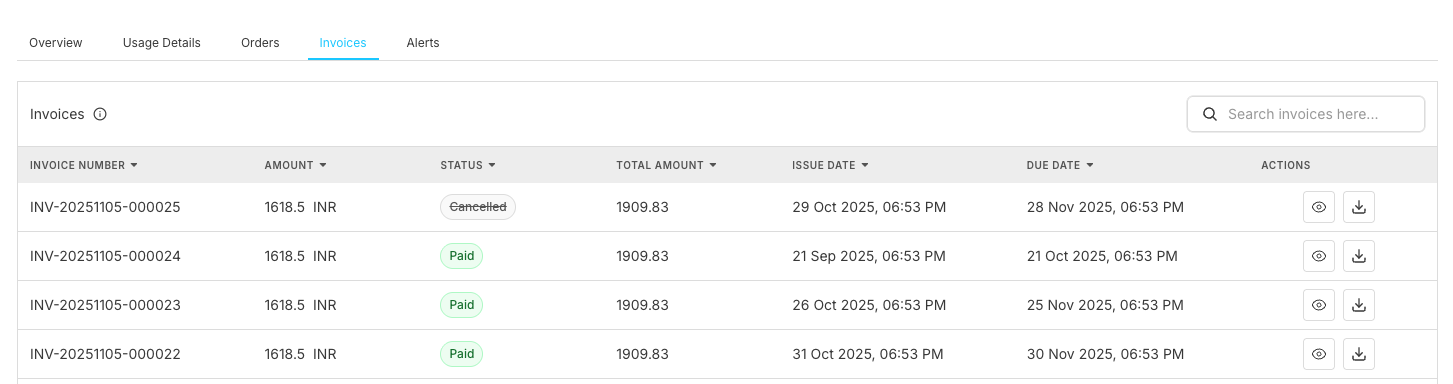
Invoices Table Structure
The invoices section displays a comprehensive table with the following columns:
| Column | Description | Purpose |
|---|---|---|
| Invoice Number | Unique identifier for each invoice | Document tracking and reference |
| Amount | Invoice total amount | Financial record keeping |
| Status | Current invoice status | Payment and processing tracking |
| Total Amount | Complete invoice value including taxes | Comprehensive cost information |
| Issue Date | When invoice was generated | Timeline tracking |
| Due Date | Payment deadline date | Payment management |
| Actions | Available operations for each invoice (View, Download) | Invoice management functions |
Invoice Details View
Detailed Invoice Information
When you click on the action, a detailed view opens showing the complete invoice document:
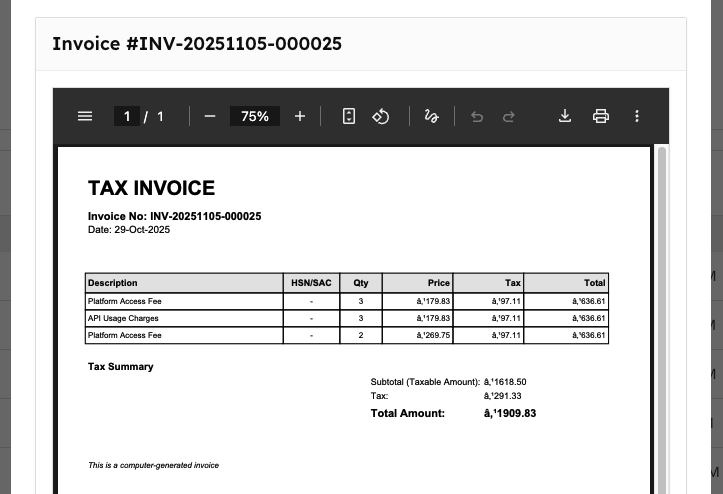
Tax Invoice Structure
The detailed invoice view displays a comprehensive tax invoice with the following sections:
| Section | Description |
|---|---|
| Invoice Header | Invoice number (e.g., INV-20251105-000025) and date information |
| Service Items | Itemized breakdown with Description, HSN/SAC, Quantity, Price, Tax, and Total columns |
| Platform Access Fee | Detailed charges for platform usage with tax calculations |
| Tax Summary | Subtotal (Taxable Amount), Tax amount, and Final Total Amount |
| Compliance Note | Computer-generated invoice disclaimer |
Invoice Management Functions
Available Actions
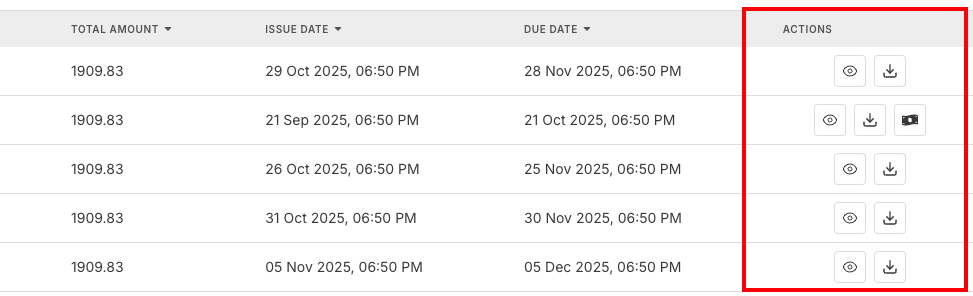
For each invoice, you can perform:
| Action | Description | When to Use |
|---|---|---|
| View Invoice | Display complete invoice details | Review charges and services |
| Download PDF | Get printable invoice document | Record keeping and accounting |
| Pay | Process payment for the invoice (via Orders Management) | Complete outstanding payments |
Invoice Search and Management
Efficiently manage invoices with:
- Search Functionality: Find invoices by number, amount, or date
- Status Filtering: Filter by payment status
- Date Range Selection: View invoices from specific periods
- Amount Filtering: Find invoices within certain amount ranges
Invoice History and Records
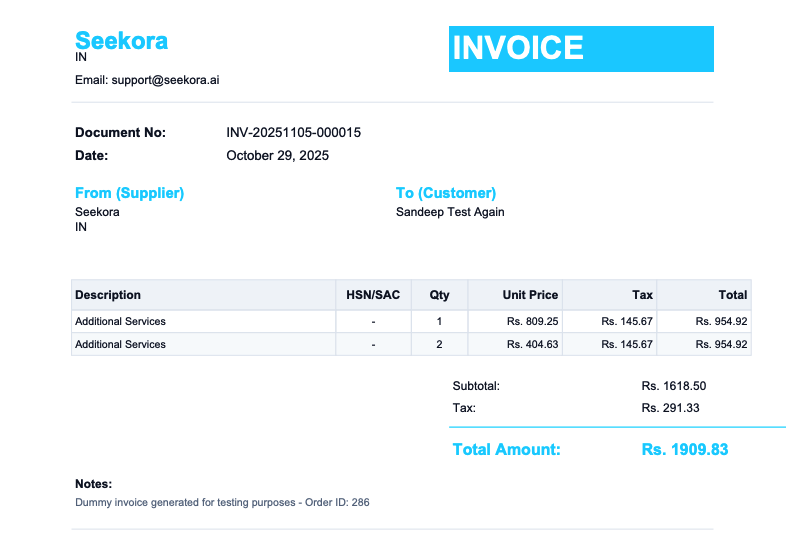
Historical Access & Record Retention
| Category | Feature | Description |
|---|---|---|
| Historical Access | Complete Archive | All invoices since account creation |
| Search Capabilities | Find historical invoices quickly | |
| Status Tracking | Historical status changes and payment tracking (with user permissions) | |
| Download Access | Retrieve any historical invoice | |
| Record Retention | Long-term Storage | Invoices retained per legal requirements |
| Backup Systems | Redundant storage for data protection | |
| Audit Trail | Complete history of invoice changes (detailed in Activity Logs) | |
| Compliance Standards | Meets financial reporting requirements |
Frequently Asked Questions
Why hasn't my invoice been generated yet?
Check if payment was processed successfully. Verify billing cycle dates and subscription status. Allow up to 24 hours for automatic invoice generation. Contact support if invoice is overdue.
Why does my invoice amount seem incorrect?
Usage details for the billing period may have changed (check Usage Details). Mid-cycle changes or upgrades to your plan can affect pricing. Tax calculations and applicable rates variations may apply. Compare with order history for verification.
How can I get help with my invoices?
We offer multiple support channels:
- Billing Support: Specialized help for invoice questions (configure support notifications)
- Accounting Support: Assistance with financial record keeping
- Technical Support: Help with download and access issues
- Tax Support: Questions about tax calculations and compliance
Related Features
Billing Operations
- Usage Details - Monitor billing dashboard and verify usage charges
- Orders Management - Process payments and track transaction history
- Alerts Management - Set up payment due date and invoice notifications
System Administration
- User Management - Configure billing access permissions and user roles
- Activity Logs - Review detailed invoice and payment audit trails
- Notifications - Manage invoice delivery and support alert preferences